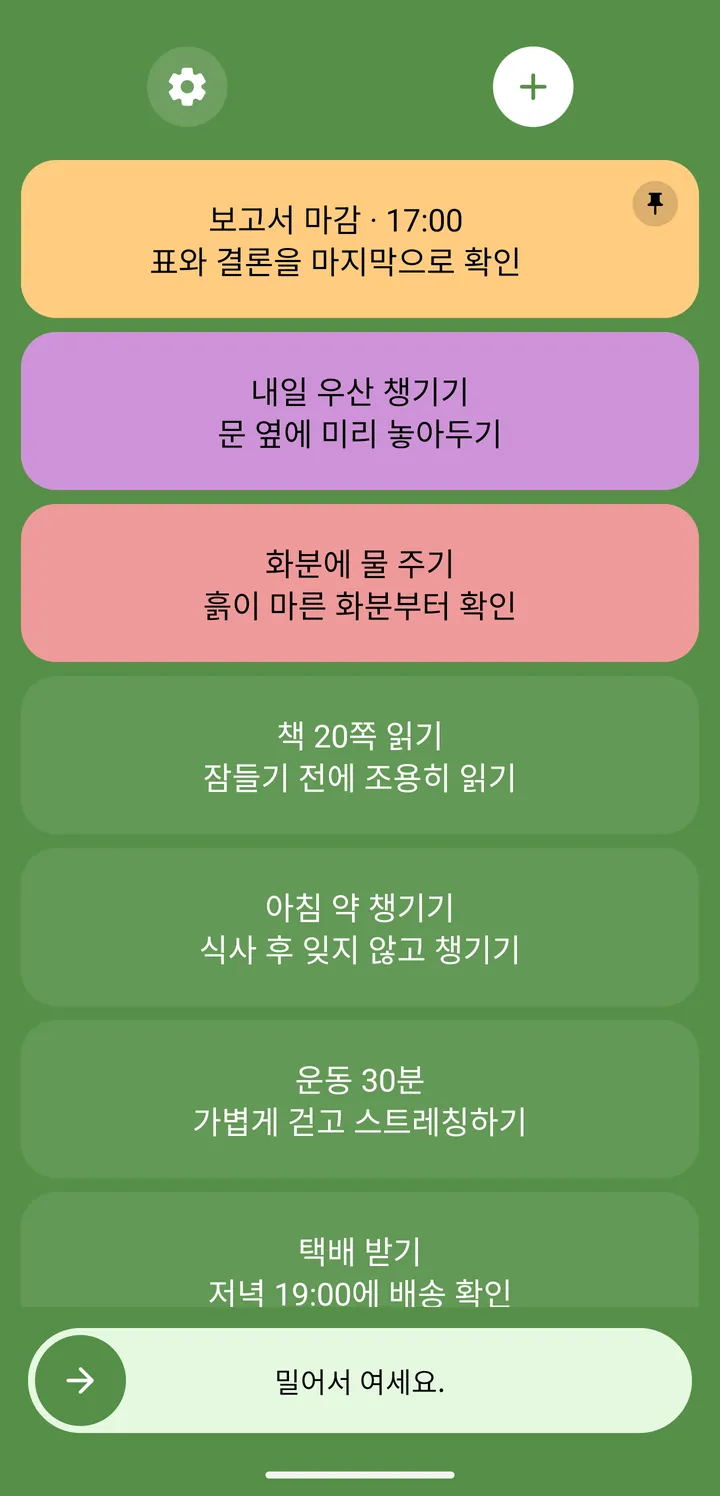
Turn on your phone.
Your to-dos come first.
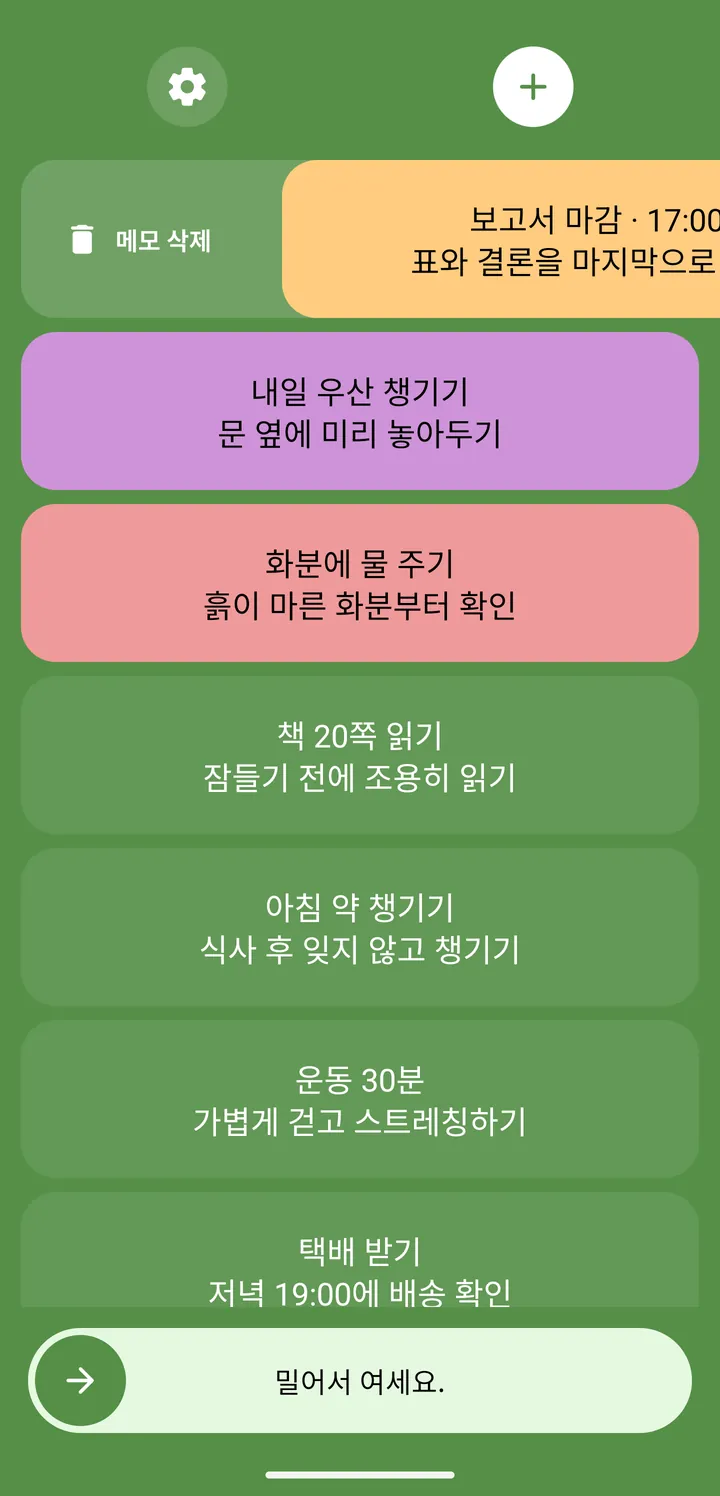
No need to find and open an app. Remember right on the screen you check most.
A tiny habit that helps you remember
Now it all comes back the moment you turn on your phone.
From easy-to-forget errands to ideas that pop into your head.
See them on your lock screen and check them off, one by one.
Android only · Contains ads · In-app purchases
Tap a checkbox to try it
Web demo for illustration · The app may look different
SMALL FEATURES, BIG DIFFERENCE
It’s not about doing more—it’s about forgetting less.
Features that fit naturally into your day.
No need to find and open an app. Remember right on the screen you check most.
Done with a task? Swipe it aside to complete it. Watch the small wins add up.
Swipe or tap to complete it
Web demo
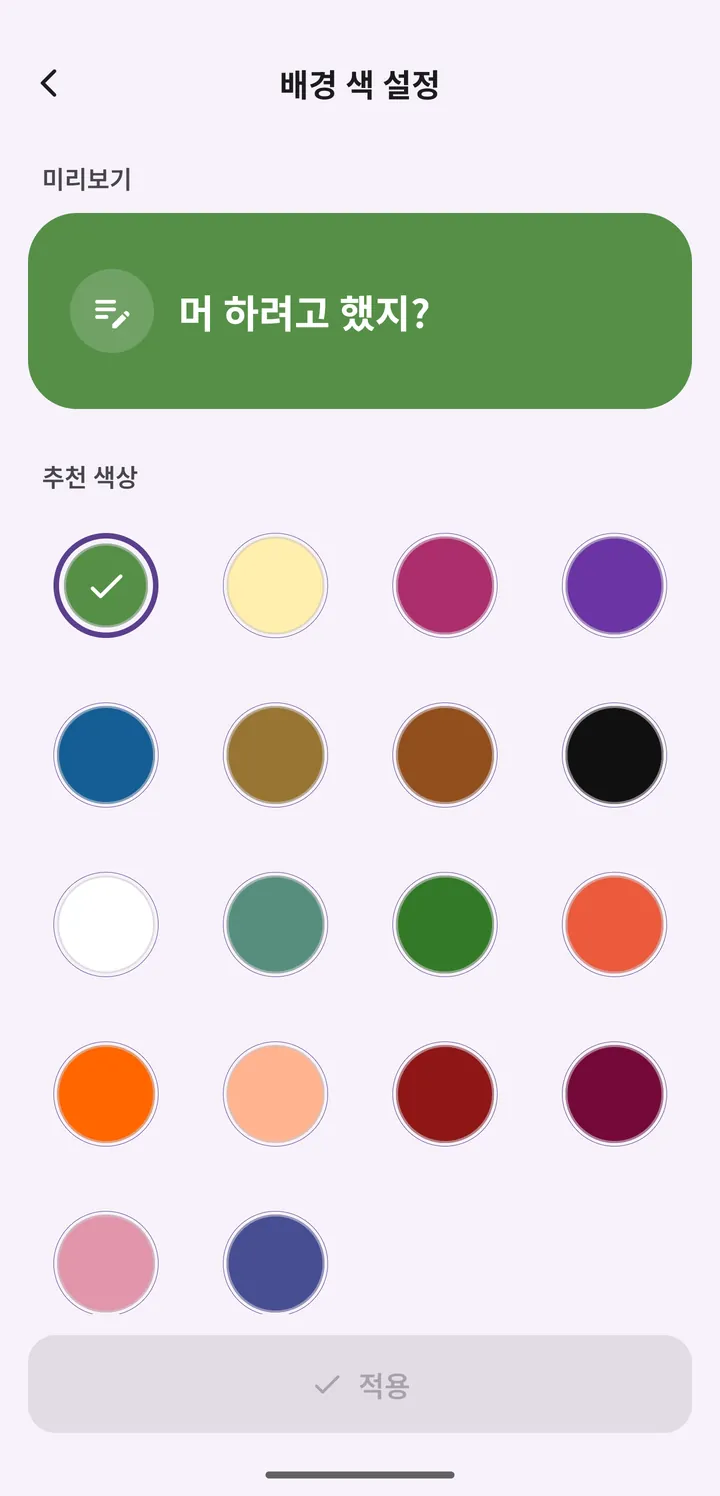
From 17 background colors to easy-to-read fonts, make it a screen you’ll love to look at.
A few of the app’s 17 background colors · Web demo
Today’s tasks, a grocery list, a sudden idea. Write down whatever you need to remember.
The screen you look at most becomes your own little reminder.
Just swipe it aside to mark it done. That makes room for what’s next.
AND A LITTLE MORE
You use it every day, so we smoothed out the little things.
Here’s what’s ready when you need it.
Keep important tasks pinned at the top of your list.
Attach a photo to any task and zoom in for a closer look.
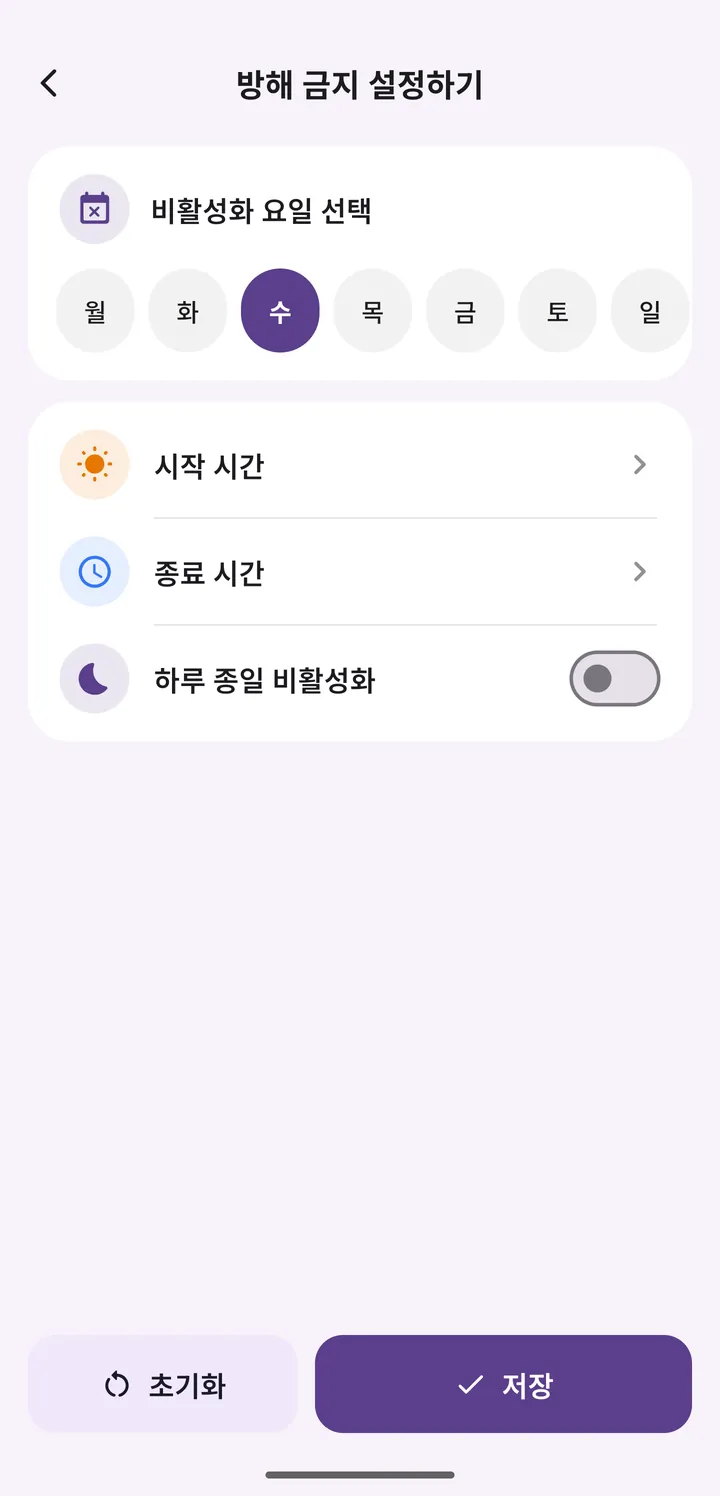
Pick days and times to pause the to-do screen.
Save a backup file, then import it on your new device.
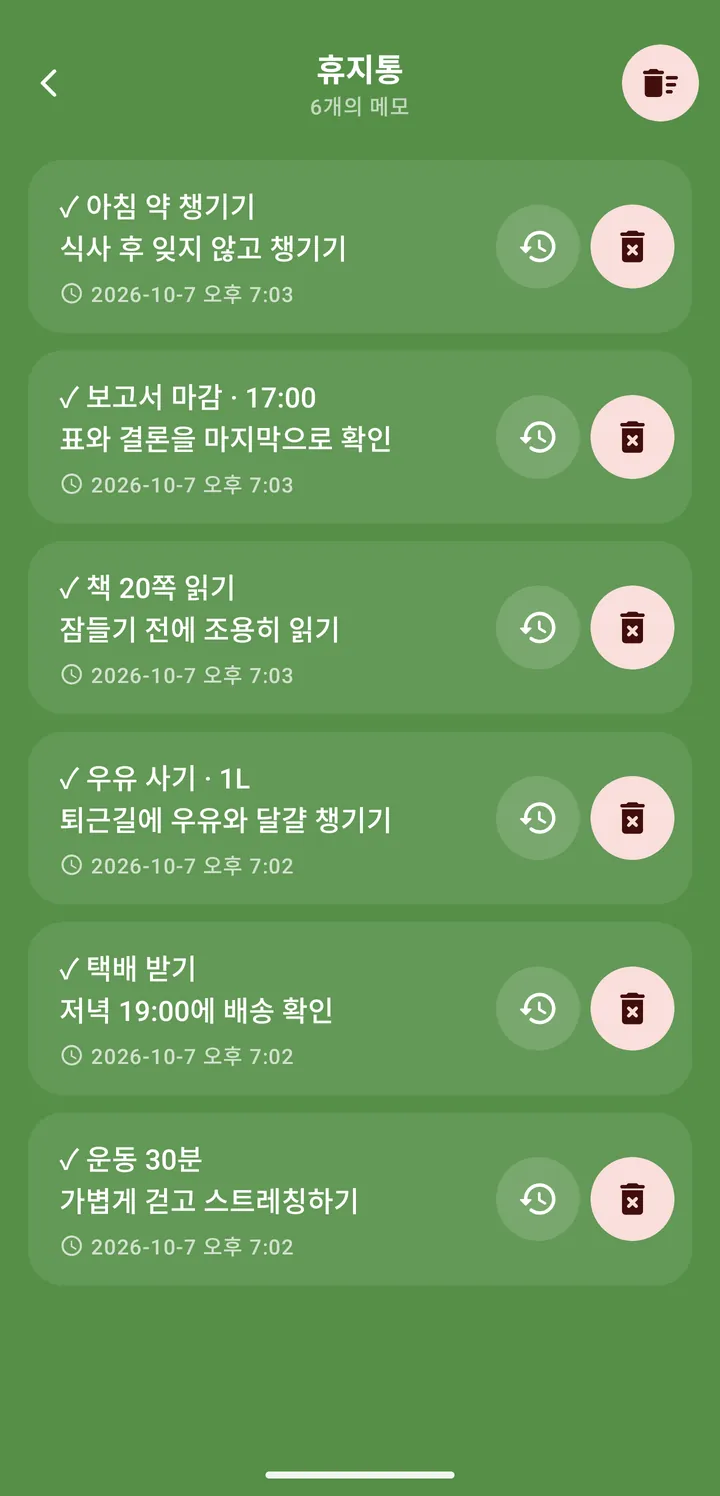
Deleted a memo by mistake? Bring it right back.
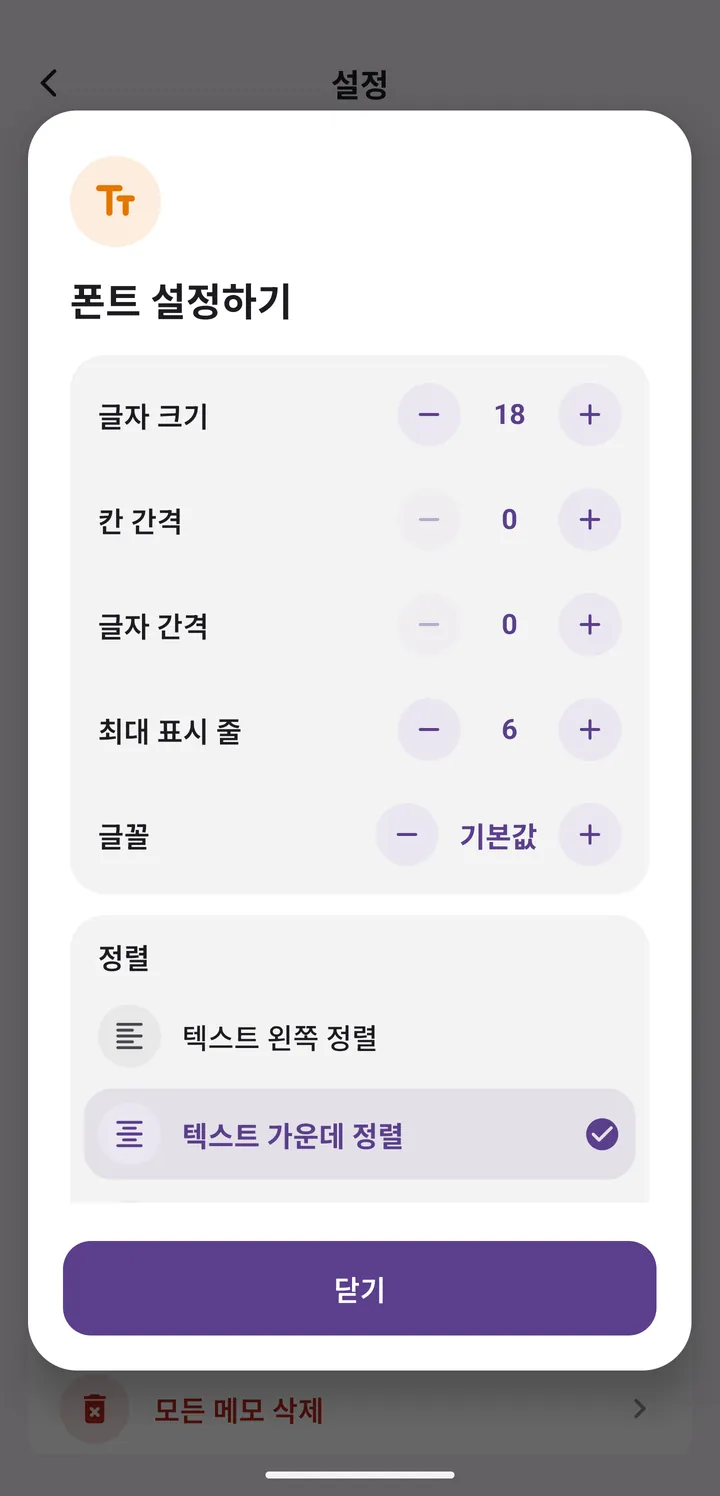
Set the font, size, line spacing, and alignment to suit your eyes.
The app follows your device’s dark mode setting.
Use it in 16 languages, including English.
A CLOSER LOOK
Click or tap a screen to enlarge it.


Scroll sideways to see more screens.
See the real screens on Google PlaySEE IT IN ACTION
Write it down, see it, check it off.
Watch the whole flow in action.
It’s an app for Android phones. Check Google Play to see whether it’s available for your device and which versions are supported. The interactive screens on this page are a web demo you can try without installing the app.
When you turn on your screen, you can see them right on the lock screen, or have them appear after you unlock, depending on your app settings. Exactly how they appear may vary with your device and app settings.
Yes. You can set the color theme, font, and text size in the app. It’s a screen you’ll see every day, so make it easy on the eyes and just the way you like it. The theme demo on this page is only an example.
Use the app’s Do Not Disturb setting to hide the to-do screen on certain days or at certain times. Focus time or downtime, use it at the pace that suits you.
Yes. In Settings, open “Backup or Import” to save a backup file to your device’s Downloads folder. Move that file to your new device, then import it from the same menu. Backup files are saved on your device, so keep them somewhere safe.
Yes. The app follows your device’s dark mode setting and is available in 16 languages, including English, Korean, Japanese, and Simplified Chinese.
It’s free to download and use, and it shows ads in the app. The Google Play version offers in-app purchases (monthly, yearly, or lifetime) that remove ads. Options and prices may change, so check the store listing for the latest details.
Email [email protected] with your device model, Android version, and what happened. Your feedback helps us make the app even easier to use.
MAKE ROOM FOR WHAT MATTERS
Instead of trying not to forget, why not write one down now?
Get it on Google PlayAndroid only · Contains ads · In-app purchases